Bring documents you already have into NoteMaker. Each file becomes its own page.
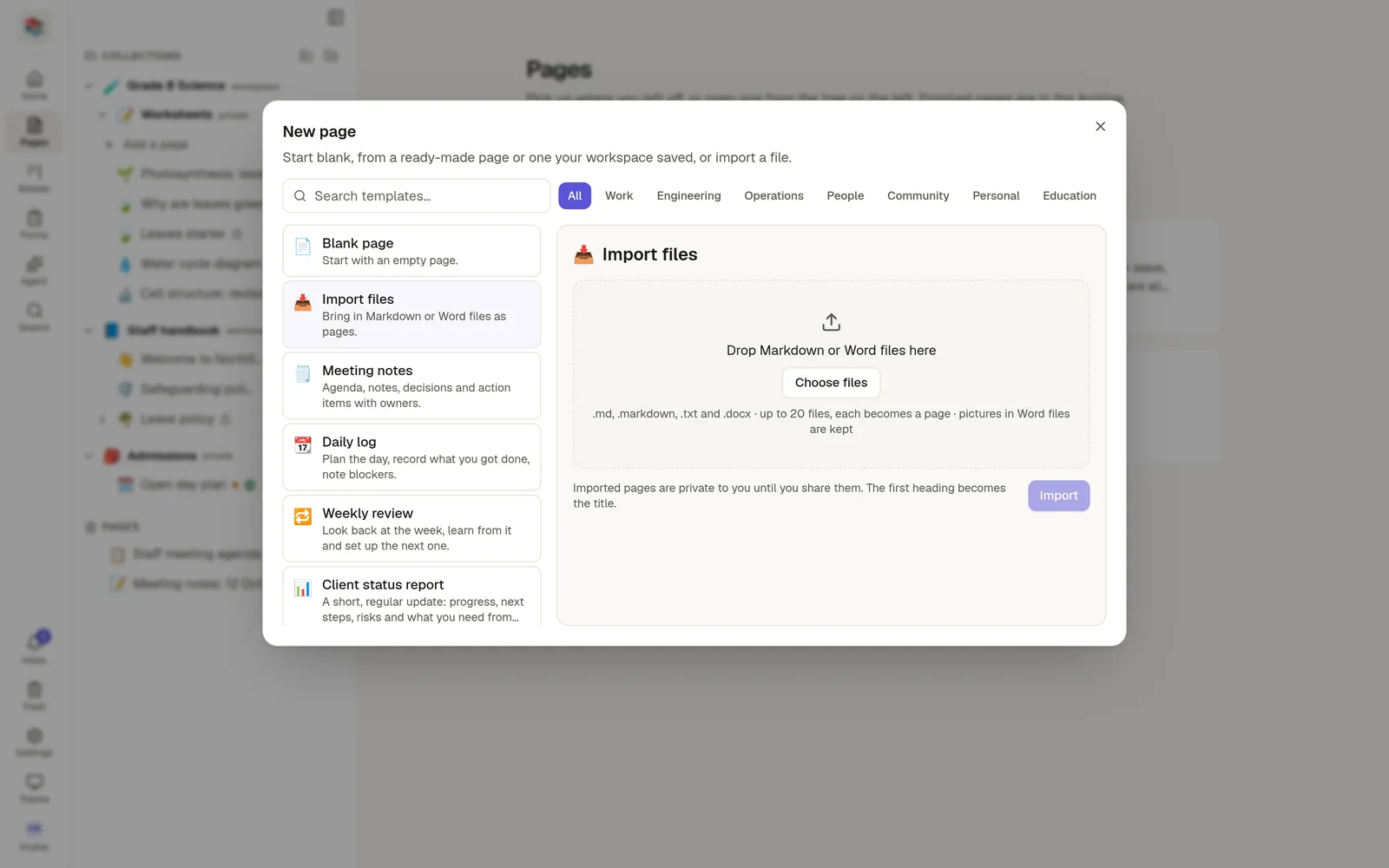
What you can import
Markdown files (
.md,.markdown,.txt)Word documents (
.docx)
You can import up to 20 files at once. The older Word format (.doc) is not supported: open it in Word and Save as .docx first.
Steps
Choose New page where you want the pages to go: at the top level, inside a collection, or under another page.
In the window that opens, choose Import files under Blank page.
Drop your files on the panel, or click to choose them.
Choose Import.
Each file becomes a private page in that place. The panel lists the results, with a link to each new page and any warnings.
How titles are chosen
For Markdown, a title: line at the top of the file wins. If there is none, a first # Heading becomes the title. Otherwise NoteMaker uses the file name. In a Word document, text in the Title style becomes the title.
Pictures
Pictures inside a Word file or embedded in Markdown are uploaded to your workspace and count toward its storage. Pictures that are web links stay as links. A picture that points to a file on your computer, such as ./image.png, cannot be found from a single upload, so it is skipped and you get a warning.
Things to know
Word sizes, colours and comments are not carried over.
If one file fails, the others still import. The panel tells you which one and why.
There is a limit of 60 files an hour per person.
PDFs are not imported.
Importing a whole collection or from Notion
To move a collection from another NoteMaker, or pages from Notion, use Import collection…, the import icon in the header of the Pages panel, instead. It has tabs for a Notion export file, your Notion account and a NoteMaker archive. See 🚚 Import from Notion and 📦 Export and import a collection.