Open a chat beside any page and ask about it, such as "Summarise this", "What is missing?" or "Rewrite the second section more simply".
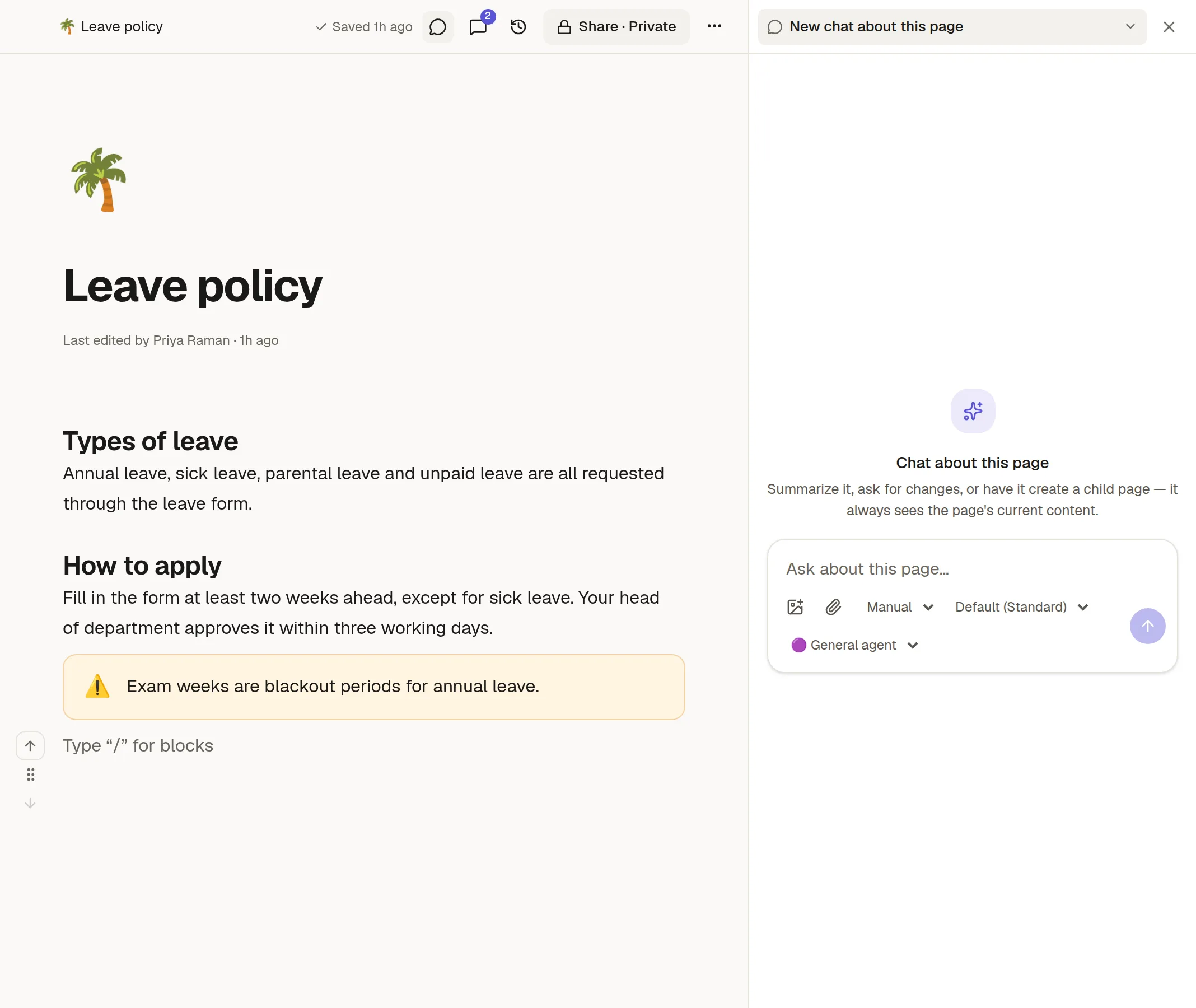
Open it
Click the chat icon in the page's top bar. The chat opens in a panel beside the page. Close it with the X.
What it knows
The agent always sees the page as it is now, including edits you made a moment ago. You do not need to paste anything.
Several chats per page
The title at the top of the panel switches between chats about this page. Use the ⋯ menu to rename a chat, make a new title or delete it. You can choose the agent and the model like in a normal chat.
Changes still need your approval
It works like 💬 Chat with Agent Mode itself: in Manual mode you approve anything it wants to write. Your chats about a page are private to you.